¶ Tracking fines on CE Cases
Suggested workflow for assigning fines to cases and tracking payment. These steps are suggested as a stopgap measure before dedicated fine and fee tracking is implemented system wide.
This workflow is suggested for municipalities who impose "quality of life" ticket fines or fees assocaited with code violations such as excessively grown grass, junk in yard, etc.
Step 1: Open a case and assign violations to that case which have legal backing for fine assignment.
Step 2: Generate, review, finalize, and send a notice of violation
Step 3: Determine the appropriate fine amount to be assigned to case. Click Add Event above the case event list.
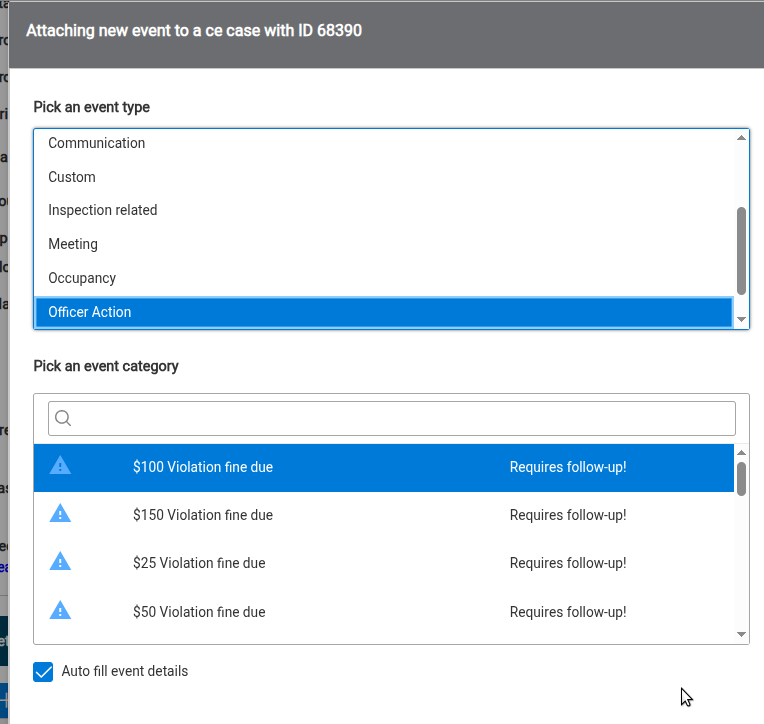
Step 4: Choose Event Type: Officer action
Step 5: Select the correct fine amount event category
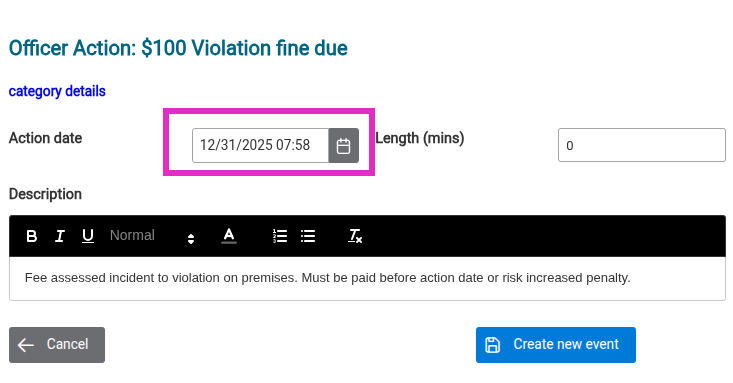
Step 6: Input the event Action Date as the date the FINE IS DUE, not the date the event is created. (The actual creation date is always available in event details.) This will cause CNF to display the event on the fine's due date and remind officers to take next steps.
Click Create new event. Refresh the CE Case by clicking the case's name in the top banner CE Case session box.
Step 7: Note you now have a yellow highlighted event in the future in your event log. The yellow highlight means this event is "waiting" for a follow-up event to get attached, which hopefully is a fine paid event, but could also be an increased fine or citation.
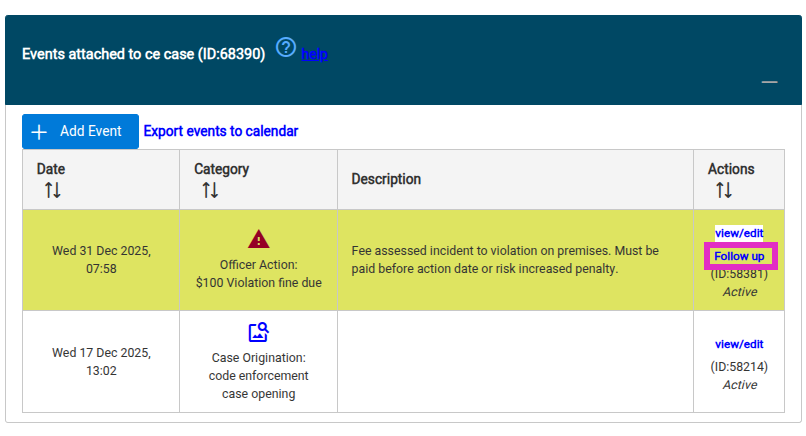
Step 8: When the corresponding fine is paid, locate this follow-up event and click Follow up. You'll get a special event add dialog which reminds you with the yellow top banner that you are following up to an event. Select event type: Case Admin -> Fine paid.
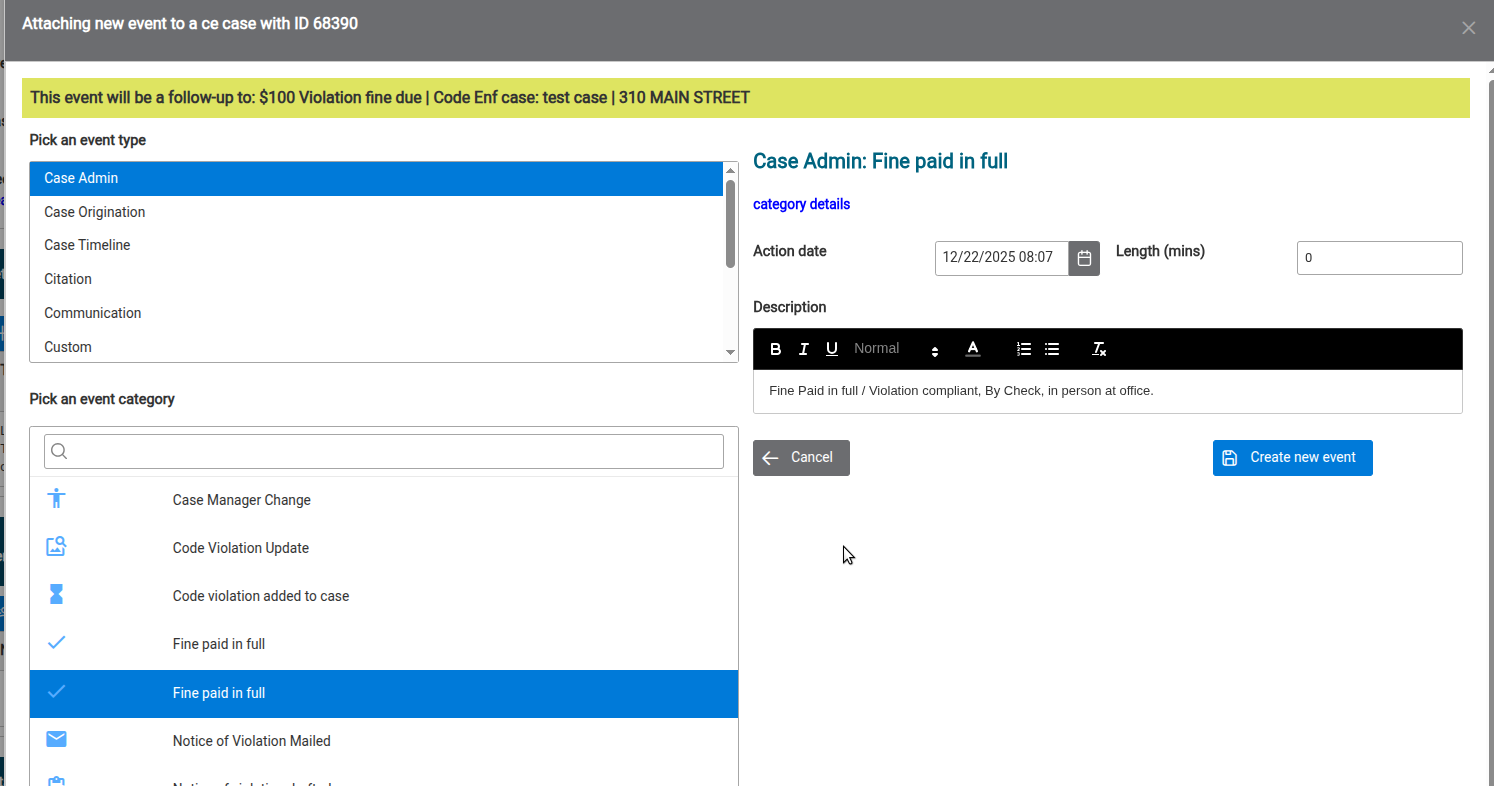
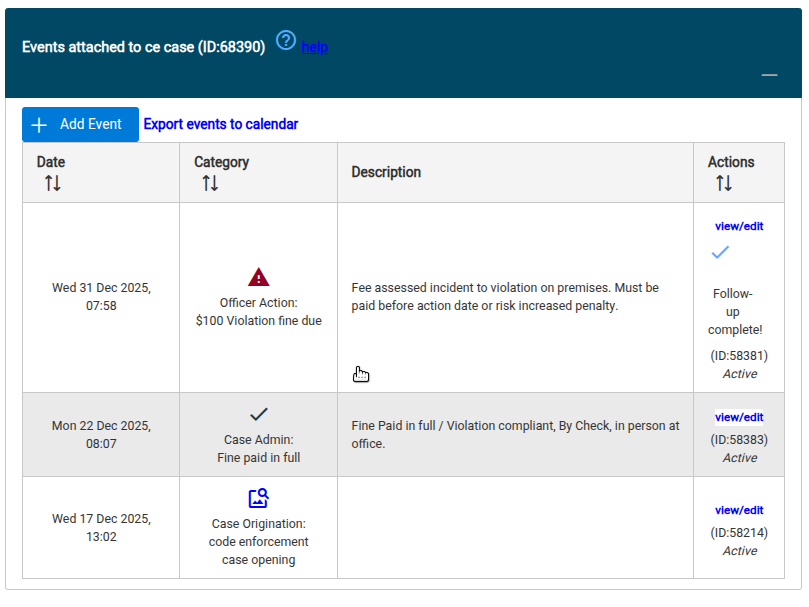
Step 9: Click Add new event; Refresh case. You're done! Notice that because this fine was paid before the due date, the fine paid event comes lower in the display table than the fine due follow up event--which is no longer higlighted because its follow up requirement has been satisfied.